About MAX Media Player Downloader Codes 2026 | App Download
MAX Media Player Downloader Codes 2026 – Application Download Guide
Looking for MAX Media Player downloader codes? This page provides a convenient reference for the available MAX application codes, helping users locate the correct code before downloading an application through a compatible downloader tool.
Whether you are using a Fire TV Stick, Android device or compatible Smart TV, check the application name and code below before proceeding.
MAX Media Player Downloader Codes
Use this reference table to find the code for your required application.
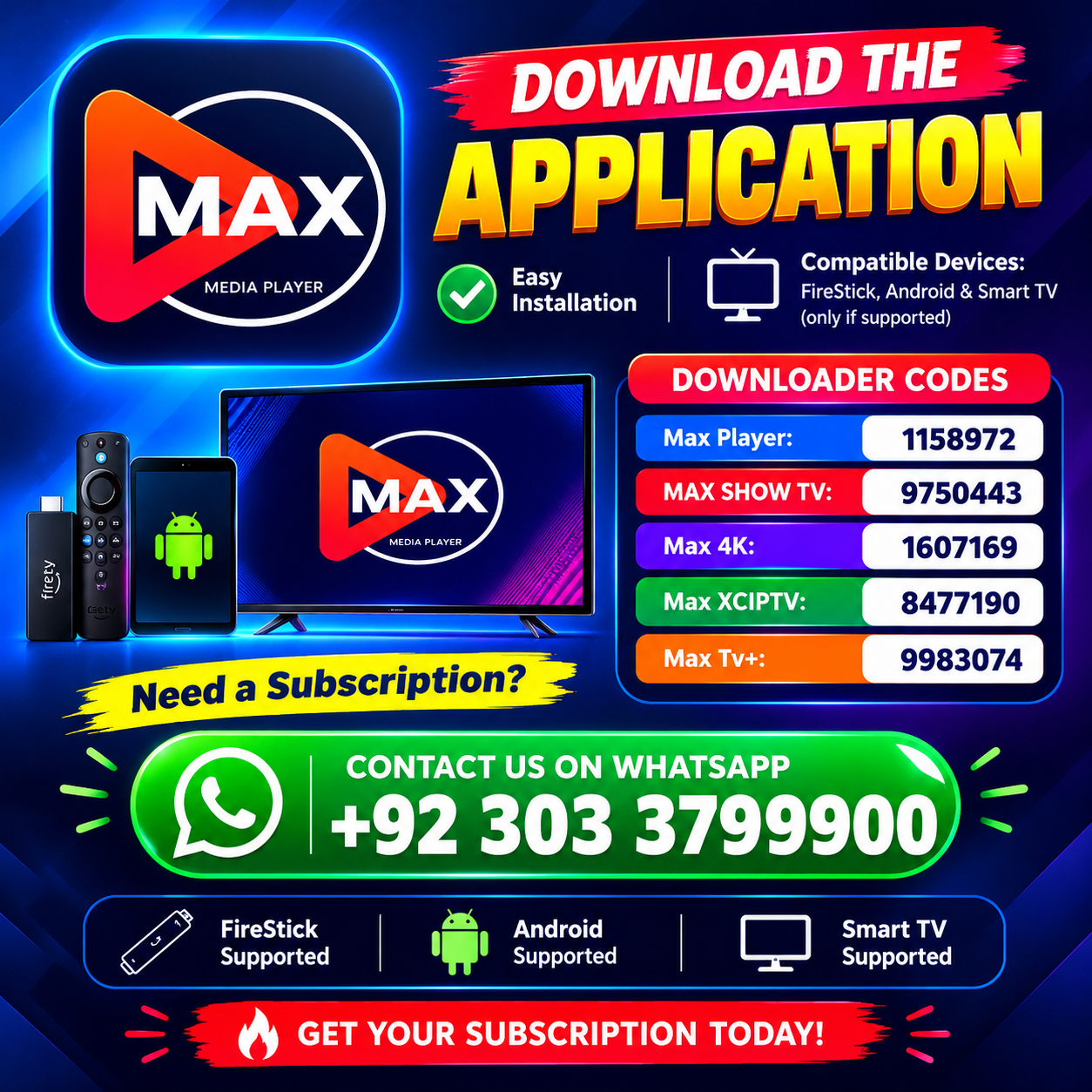
Application Name| Downloader Code
MAX Player| 1158972
MAX SHOW TV| 9750443
MAX 4K| 1607169
MAX XCIPTV| 8477190
MAX TV+| 9983074
Important: These codes are provided as supplied. Their current availability, destination and compatibility have not been independently verified. Always check that a download comes from an official or authorised source.
How to Download a MAX Application on FireStick
Follow these general steps if your application is distributed through a compatible downloader tool:
1. Turn on your Fire TV Stick and connect it to the internet.
2. Open the Amazon Appstore and install a compatible downloader application, if required.
3. Open the downloader and enter the correct code from the table above.
4. Check the destination and application details before downloading.
5. Follow the on-screen instructions to complete installation, if the source and device are supported.
Menu names and installation requirements may vary by device and software version. Avoid unknown downloads and do not bypass device security warnings.
MAX Application Compatibility
Compatibility depends on the individual application and its publisher.
- Amazon Fire TV Stick: Check whether the application supports your Fire TV device.
- Android devices: Confirm Android version and installation requirements.
- Smart TVs: Check the TV's app store and operating system compatibility.
- Other devices: Consult the application's official documentation before installation.
Not every MAX application is available on every device.
MAX Media Player Application Features
Features depend on the specific application. A media player may support functions such as:
- Playing supported media formats.
- Accessing compatible playlists or media sources.
- Navigating available content through an application interface.
- Playback controls and supported device settings.
The application itself may not include channels, movies or subscription content. Content availability depends on the authorised provider and the services connected to the player.
Need Subscription Assistance?
Need help choosing a compatible application or understanding subscription options? Contact our team on WhatsApp for assistance.
WhatsApp Contact: +92 303 3799900
Our team can help answer questions about application compatibility, installation guidance and available subscription options.
Frequently Asked Questions
What are the MAX Media Player downloader codes?
The codes listed on this page are MAX Player: 1158972, MAX SHOW TV: 9750443, MAX 4K: 1607169, MAX XCIPTV: 8477190 and MAX TV+: 9983074.
Can I use these codes on FireStick?
You can try a code only if your downloader tool supports that code format and the destination is compatible with your device. Availability is not guaranteed.
Are these applications free?
The download cost and application licensing terms depend on the publisher. Some players may be free to install but require a separate subscription for content or services.
Do I need a subscription to use a media player?
Not necessarily. A media player may work with personal media or other compatible sources. A separate subscription may be required for certain services.
How can I get help with a subscription?
Contact us through WhatsApp at +92 303 3799900 to ask about available options and compatibility.
Final Thoughts
This MAX Media Player downloader code guide brings five application codes together in one convenient place. Check the correct code, verify the download source and confirm device compatibility before installing.
For subscription enquiries or application assistance, contact us on WhatsApp.
WhatsApp: +92 303 3799900