About OPPLEX IPTV APK Download Codes & Player Guide 2026
OPPLEX IPTV APK Download Codes – IBO, XC and XTV Player Guide 2026
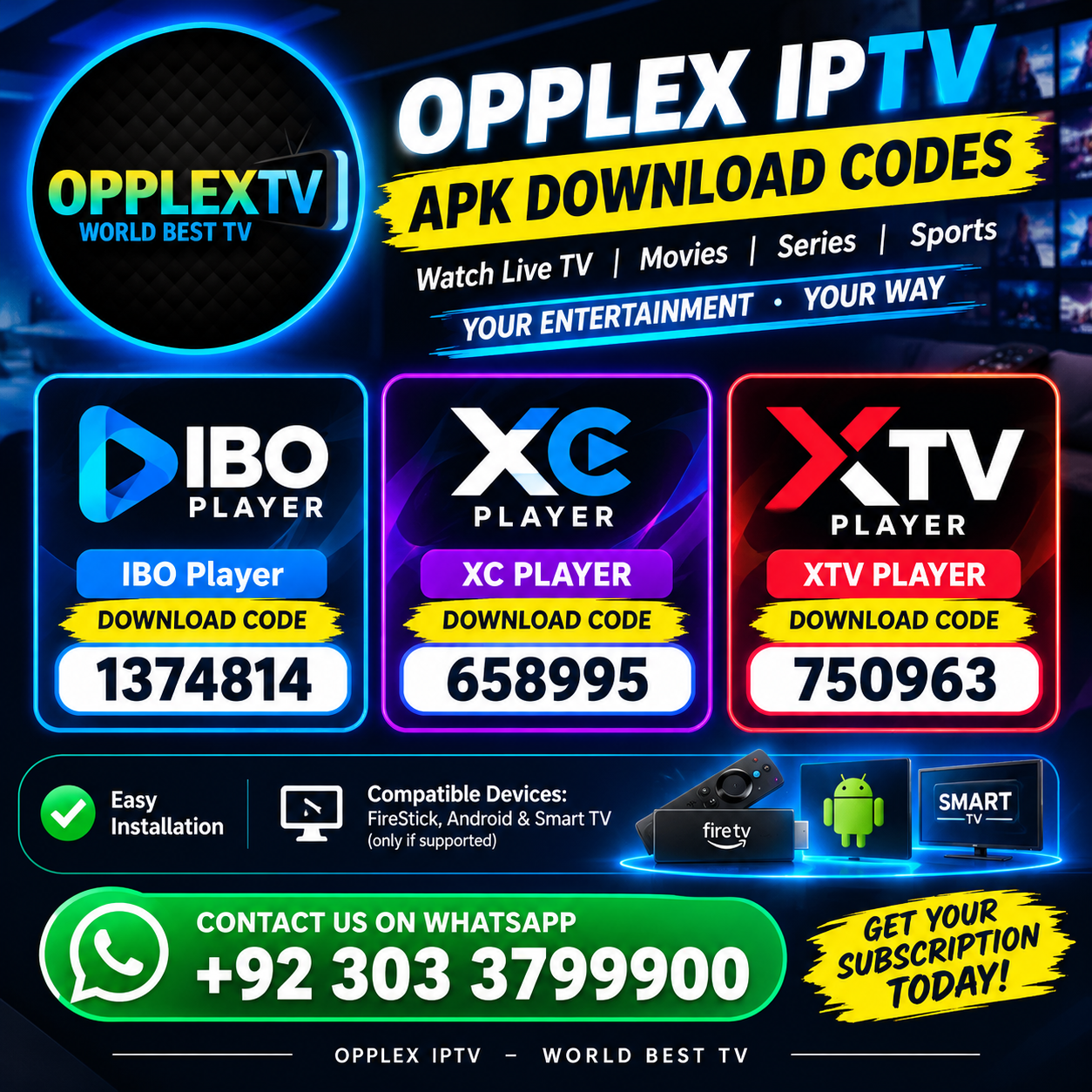
Looking for OPPLEX IPTV application download codes? This guide brings together the available codes for IBO Player, XC Player and XTV Player, making it easier to find the code you need.
If you're setting up a compatible FireStick, Android device or Smart TV, you can use the information below as a reference before installing your chosen player.
OPPLEX IPTV Download Codes
Here are the three application codes currently listed in our guide.
Application| Download Code
IBO Player| 1374814
XC Player| 658995
XTV Player| 750963
These codes are provided as supplied and have not been independently verified. Availability may change, so check that the code opens the correct application or an authorised download source before proceeding.
What Is OPPLEX IPTV?
OPPLEX IPTV is the name used for this service and its application-related information. Depending on your setup, you may need a compatible media player to access a supported playlist or service.
It's worth remembering that a media player and an IPTV subscription are not necessarily the same thing. Installing a player does not automatically provide live TV channels, movies or other content. Access depends on the application, your playlist and the relevant content provider.
How to Install a Player on FireStick
The installation process depends on which player you choose and how its developer distributes the application.
1. Connect your FireStick to the internet.
2. Open the Amazon Appstore and look for your chosen player.
3. If the application uses a compatible downloader tool, follow the developer's official installation instructions.
4. Check the application name and download source before installing.
5. Open the application and follow its setup instructions.
If a downloader code does not work, the code may be outdated, unavailable or intended for a different application. Check the official source rather than installing an unknown file.
Can You Use These Players on Android or Smart TV?
Device support varies between applications. Some players may support Android devices, while Smart TV compatibility depends on the television's operating system and available app store.
Before installing, check the requirements for IBO Player, XC Player or XTV Player. This is particularly important if you use a specific FireStick model or a Smart TV with a restricted app store.
What's Included?
Our OPPLEX IPTV download guide includes:
- IBO Player download code: 1374814
- XC Player download code: 658995
- XTV Player download code: 750963
- General application installation guidance
- Device compatibility information
- Help with subscription enquiries
- WhatsApp contact details for customer assistance
Application access, installation support and subscription services may have separate requirements.
Need Help With Your Subscription?
Not sure which player to choose or need information about subscription options? Contact our team on WhatsApp.
WhatsApp: +92 303 3799900
Message us directly: https://wa.me/923033799900
Tell us which device you use and which player you want to install. This will help us provide more relevant guidance.
Frequently Asked Questions
What is the IBO Player download code?
The code listed in this guide for IBO Player is 1374814. Check its current availability and destination before using it.
What is the XC Player download code?
The XC Player code provided here is 658995.
What is the XTV Player download code?
The XTV Player code provided here is 750963.
Do these codes work on every FireStick?
Not necessarily. Compatibility depends on the application, device, downloader tool and current availability of the download source.
Does installing a player include an IPTV subscription?
No, not automatically. Some media players require a separate playlist or subscription from an authorised provider.
How can I get subscription information?
Contact us on WhatsApp at +92 303 3799900 to ask about available subscription options and device compatibility.
Final Thoughts
Finding the right application code is a useful first step when setting up your player. Use this guide to check the codes for IBO Player, XC Player and XTV Player, then follow the appropriate installation instructions for your device.
For help with subscription enquiries or compatible devices, contact us on WhatsApp.
WhatsApp: +92 303 3799900